

AI Meeting Notes App: What They Do and How to Pick One
Broadly, an AI meeting notes app records or transcribes a call and turns it into a recap, a task list, and a searchable record. Moreover, nobody types during the meeting. In short, it hands you the output of the call instead of the raw material.
According to Microsoft's Work Trend Index report, the heaviest meeting users — the top 25% — spend 7.5 hours a week in meetings. Therefore, over 45 working weeks that is roughly 340 hours a year for the people carrying that load. In a 50-person team, the dozen or so in that bracket account for about 90 hours of talk every week between them.
Notably, the U.S. Bureau of Labor Statistics tracks work time in its American Time Use Survey, which is worth checking against your own numbers. However, the point is not the exact figure. Rather, it is that almost none of those hours leave a structured record.
Therefore the category exists to close that gap. Below you get what these apps do, the 5 things that separate them, and the 2 failure modes behind most buyer regret.
Tools that only transcribe and summarise are transcription apps with a marketing upgrade.
What does an AI meeting notes app actually do?
Broadly, every tool in this category does three things. Namely, it captures audio, turns it into text, and writes a recap. Thus the basics are settled. However, everything downstream of that is where they split.
- Task extraction — does it list what was said, or does it tell a real promise from a passing remark and give it a named owner? The five-step route from a recording to a confirmed task list shows what good looks like here.
- Memory — can you ask about a call from 90 days back, or does each meeting sit in its own file?
- Prep — does it only work after a call, or does it also help you walk in ready?
- Where it plugs in — does it join Zoom and Teams directly, take uploads, or both?
- What happens to the audio — is it encrypted, is any of it used to train models, and does the seller say so plainly?
Hence tools that only do the first two are transcription apps with an "AI" badge. Conversely, the more useful category treats a call as an input to a lasting system. For that distinction, see what conversational intelligence means.
The 5 things that actually separate tools
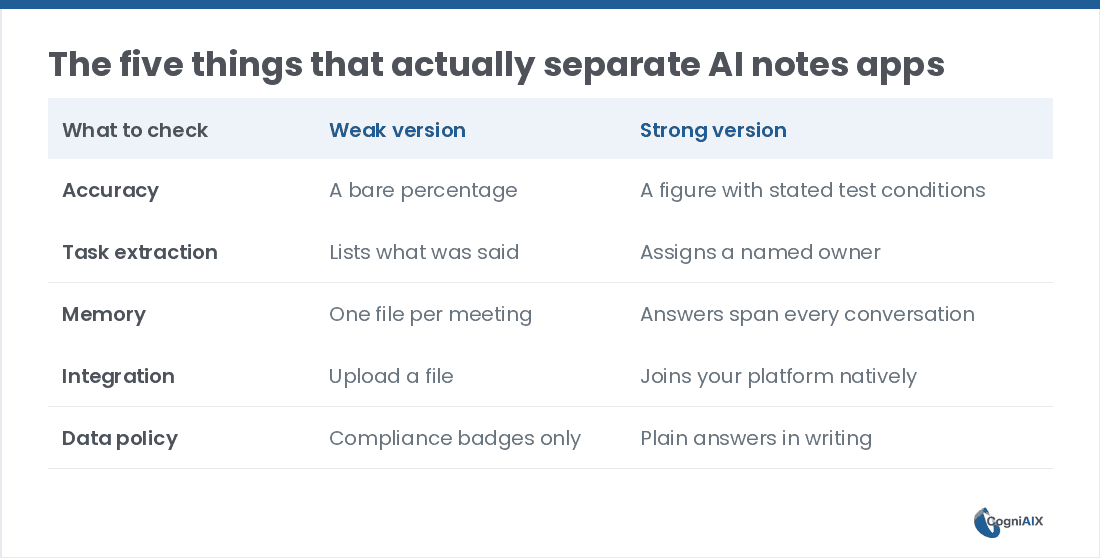
Admittedly, every seller claims high accuracy and "actionable insights." Instead of taking that at face value, check these 5 things.
- Accuracy, with test conditions stated. A bare number is marketing. Therefore ask what audio it was tested on — accents, background noise, people talking at once.
- Owner detection, not just task detection. Pulling out "send the proposal" is easy. Conversely, naming the right person in a 6-person call, without you fixing it, is the hard part.
- Memory across meetings. If every call is a silo, you are back to hunting through files the moment you need last quarter.
- Real integration with your platform, not a generic upload step, if your team lives in Teams or Zoom.
- A plain data policy. Badges mean little without a straight answer on training data and encryption.
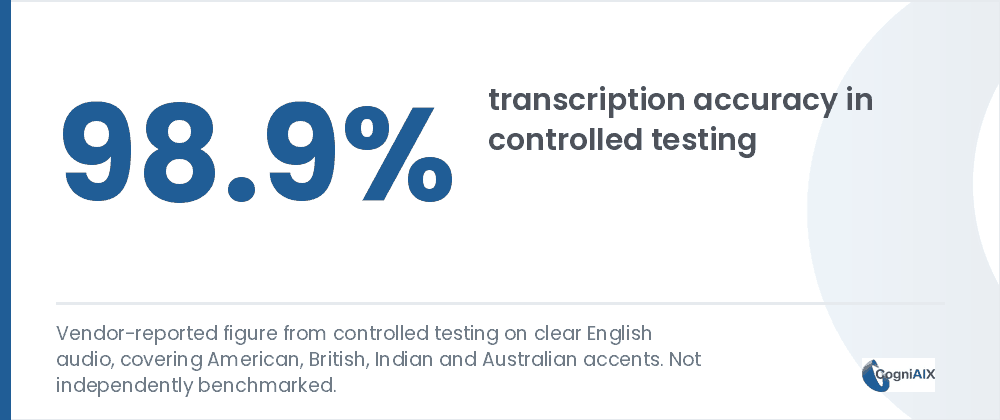
Now, accuracy numbers are worth reading carefully. Indeed, CogniAIX reports 98.9% on clear English audio, plus 92% for spotting tasks and 89% for naming owners — though those are its own tests, not outside ones. Moreover, past roughly 95% the gains matter less than what happens next. Thus a tool at 97% that names owners well beats one at 99% that hands you a wall of text.
| Transcription app | AI meeting notes app | Conversation intelligence | |
|---|---|---|---|
| Output | A wall of text | A recap plus a task list | Owned tasks and a lasting memory |
| Task owner | None | Sometimes named | Named, with a stated accuracy figure |
| Memory | One file per call | One file per call | Spans every call |
| After the call | You read it | You review a draft | It has already been routed |
| Typical price | Lowest | Mid | Highest |
Two failure modes worth naming
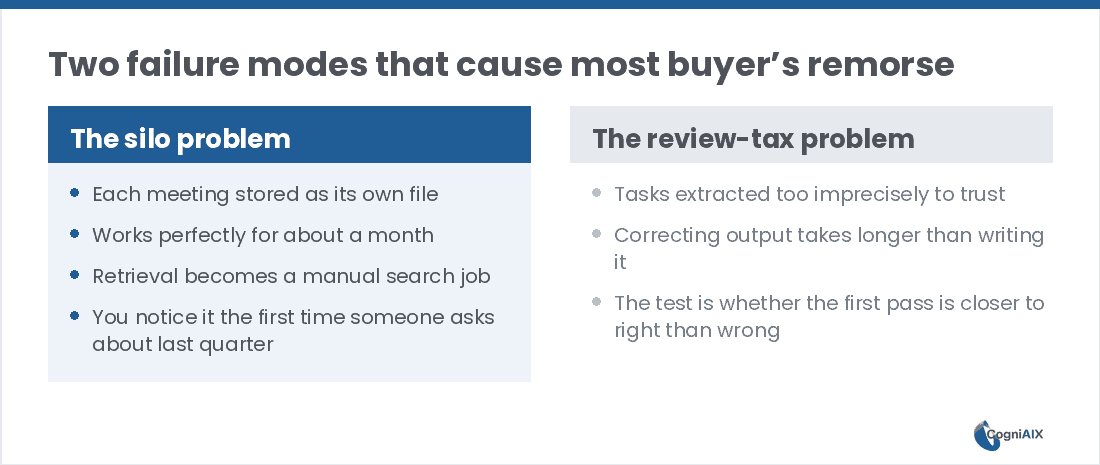
Nonetheless, beyond the feature list two patterns cause most buyer regret.
The silo problem. Firstly, a tool that files each meeting on its own works fine for a month. However, it then goes quiet, because the value of a record is in getting things back out. Hence retrieval across dozens of files is a manual job. Notably, you notice the first time somebody asks about last quarter.
The review-tax problem. Secondly, some tools pull out tasks so loosely that fixing them takes longer than writing the list by hand. Rather than counting features, ask one thing: is the first pass closer to right than wrong? Ultimately, that single test saves time you would otherwise lose to cleanup.
Where CogniAIX fits
Therefore CogniAIX is built around one idea. Namely, one AI that remembers every call and does the work around it — prep before, notes during, tasks and drafts after. Moreover, it is framed as 8 jobs done by a single AI working from one shared memory.
In turn, that means the system that recaps today's call can also tell you what was decided about pricing in March. Because it can automate the write-up, teams save time and reduce effort they once spent rebuilding what was agreed. Specifically, a few points are worth knowing:
- 98.9% transcription accuracy in controlled testing on clear English audio, handling American, British, Indian and Australian accents. Granted, that is a vendor figure, not an outside benchmark.
- Native Teams and Zoom joining on paid plans, plus uploads for MP3 and M4A recorded anywhere.
- A free tier that is not a trial — Spark gives you transcription, recaps, tasks and the AI assistant with 300 minutes, no card and no feature wall.
- HIPAA, SOC 2 and CCPA compliance, with encryption in transit and at rest.
Past roughly 95% accuracy, the layers on top matter more than the number itself.
People Also Ask — AI Meeting Notes Apps
Does an AI meeting notes app work for one-off calls?
Yes, provided the tool is built on memory across calls rather than one file per meeting. Thus a single client call is captured and recapped the same way a weekly standup is. However, the difference only pays off once you can search across all of them later.
Do I need to record every meeting for it to be useful?
No. Besides, most of these tools, CogniAIX included, also take uploaded recordings. Therefore you can capture a call your team recorded elsewhere and still get the recap, the tasks and the searchable record. Hence it removes the manual write-up either way.
Is a free AI meeting notes app actually usable?
Broadly, it depends on the seller. Namely, some free tiers cap the useful features after a few uses. Conversely, others include the full set with a minutes allowance instead of a feature wall. Therefore check whether the cap is on minutes or on features.
How accurate does transcription need to be?
Past roughly 95% on clear audio, further gains matter less than what happens downstream. Indeed, a tool at 97% that names owners correctly is more useful day to day than one at 99% that hands you an unattributed wall of text.
What does an AI meeting notes app cost?
Broadly, pricing splits two ways. Otter, for one, lists $16.99 per user each month, or about $8.33 on annual billing. Fireflies lists $18.00 monthly, or $10.00 annually. However, others charge per minute of talk. Since the two models scale differently, test both against your real call load first.
Trying an AI Meeting Notes App on Your Own Calls
In practice, CogniAIX captures every meeting, spots promises in context, and writes structured recaps before the next session. Moreover, it builds an encrypted, searchable archive of every call. As a result, the meeting ends and the output is already structured and indexed, so nothing needs writing up by hand.
Try CogniAIX free — capture your first call today. No credit card required, and your first structured recap lands in minutes.