

How to Never Forget a Meeting Decision Again
A meeting decision is a choice the room settled, with a clear answer, that everyone can act on. So writing one down does not stop it slipping. Rather, most teams take notes and still lose track. Notably, the problem is not capture. Instead, it is retrieval.
According to Microsoft's Work Trend Index report, the heaviest meeting users — the top 25% — spend 7.5 hours a week in meetings. Therefore, over 45 work weeks, that is about 340 hours a year for the people carrying that load. However, almost none of it leaves a record you can search.
The U.S. Bureau of Labor Statistics tracks work time in its American Time Use Survey. Thus it is worth a look next to your own week. Meanwhile, the gap that matters is smaller and sharper: a meeting decision exists in a file nobody can find.
Notes are not the problem. Retrieval is.
Why does "we wrote it down" not solve this?
Firstly, a decision in a document only helps if somebody recalls which document. Moreover, they need a rough date, plus the patience to scroll for the line.
In practice, that friction is enough. Hence people just ask again — "wait, did we already decide this?" — and the meeting runs a second time. Conversely, the second answer sometimes differs from the first. Thus two conflicting records now exist, which is worse than one vague note.
Indeed, this is the failure a chief of staff exists to prevent. Namely, not taking notes, but making sure the right note surfaces at the right moment without anyone hunting for it.
What are the three levels of meeting decision retrieval?
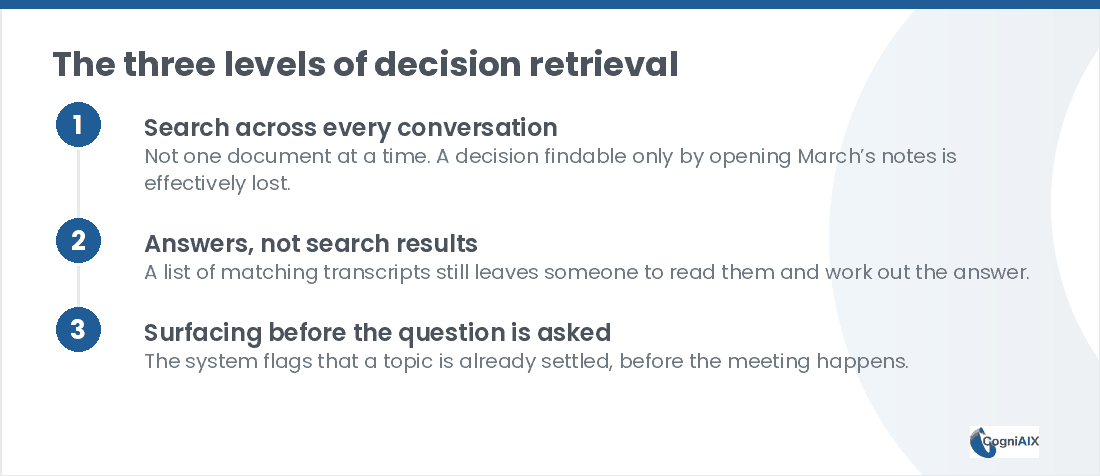
Broadly, retrieval comes in three levels. Notably, most tools stop at the first.
- Search across every conversation, not one file at a time. If a choice from March only turns up by opening March's notes, it is lost in practice.
- Answers, not search results. A list of matching transcripts still leaves somebody to read them and work out the answer.
- Surfacing before the question gets asked. Namely, the system flags that a topic is already settled, before the next call starts.
Ultimately, the jump from level 1 to level 2 is where the time goes. Thus a tool that hands you five transcripts has moved the work rather than removed it.
How do the three levels compare in practice?
Therefore the table below shows what each level does with the same question, three months on.
| Level 1: search | Level 2: answers | Level 3: surfacing | |
|---|---|---|---|
| You ask | Keywords | A plain question | Nothing |
| You get | A list of files | The decision, with context | A flag before the call |
| You still do | Read and judge | Confirm | Nothing |
| Time to answer | 5-20 min | Under a minute | Zero |
| Stops re-litigation | Rarely | Sometimes | Yes |
Hence level 3 is the only one that prevents the repeat meeting rather than shortening it.
What should you check before you buy?
Firstly, run through this short list with any tool you are testing.
- Can it answer without you naming the meeting the meeting decision came from?
- Does it return the decision itself, or a list of transcripts to read?
- Does it flag a settled topic before the next call, or only when you search?
- What happens when a decision gets revised later?
Notably, the last one catches most tools out. Indeed, a system that returns March's answer without noting June reversed it is worse than no record, because somebody will act on it.
The 30-second test on your current setup
Now, try this out loud. "What did we decide about [any topic from a few months ago]?"
If the honest answer involves scrolling files, asking a colleague who might recall, or simply not knowing, that is the forgetting problem in action. Granted, notes almost certainly exist somewhere. However, existing and being findable are different things.
Secondly, note which of the three levels your tooling actually reaches. Typically, teams find they sit at level 1 while assuming they had level 2.
How CogniAIX keeps a meeting decision findable
Therefore every call captured or uploaded through CogniAIX joins one lasting, searchable memory. Moreover, it is not a separate file per meeting.
In turn, you can ask Cognia "what did we decide about pricing back in March?" and get a direct answer with the context. Thus it saves time you would spend hunting, and it reduces effort on every handover. Meanwhile, before your next related call, the same memory surfaces what is still open, so a settled meeting decision does not get reopened by accident.
That mechanism sits behind the Decision Keeper role, covered in AI chief of staff software.
A system that returns March's answer without flagging June's reversal is worse than no record at all.
People Also Ask — Never Forget a Meeting Decision
Does this work for one-off calls or only recurring meetings?
Both. Indeed, every call joins the same memory whether it is a weekly standup or a single client conversation. Therefore a decision from a one-off call is just as findable.
What if the decision was made in a meeting we never captured?
Then it stays outside the memory. Granted, a choice made entirely off-platform will not be retrievable. Hence teams see the most value once capture runs across most of their meetings rather than a few.
How is this different from using Ctrl+F on old notes?
Keyword search only works if you recall which document to open and the exact words used. Conversely, a plain-language question across every past call removes both requirements.
What happens when a meeting decision changes later?
This is the case worth testing on any tool. Namely, a system that surfaces the original without flagging the revision is misleading. Thus ask any vendor directly how they handle a reversal.
How long before this pays off?
Most teams notice it the first time somebody asks about last quarter. However, the compounding value builds over months, as the archive deepens and fewer questions get asked twice.
Try It on a Decision You Already Lost
In practice, CogniAIX captures every meeting and spots commitments in context. Moreover, it writes a clear recap before the next session and keeps every call searchable. As a result, "what did we agree?" becomes a question with an answer rather than a research project.
Try CogniAIX free — capture your next call. No credit card required, and your first searchable recap lands in minutes.