


How to Run a Meeting That Actually Ends with Clear Owners and Next Steps
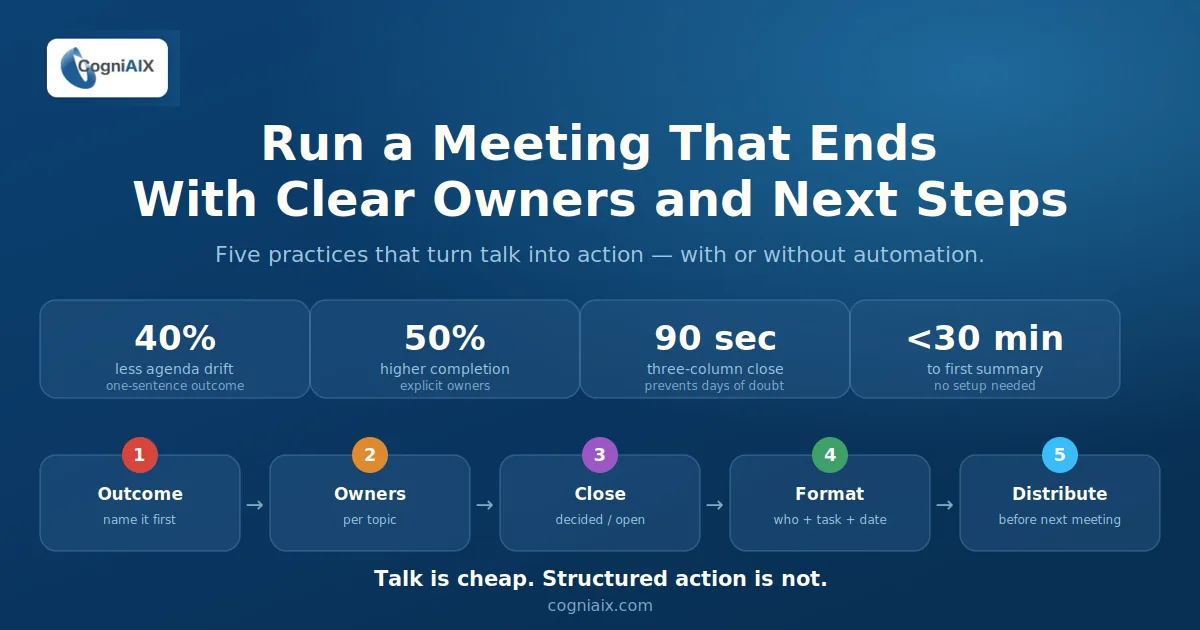
Every meeting produces talk. However, few produce accountability. The problem is not effort. Instead, it is structure. Therefore, AI conversation analysis software closes the gap between what teams discuss and what they ship.
Moreover, it helps you save time on every meeting. This guide shows how to run meetings that end with clear owners and real next steps. In addition, it shows where CogniAIX fits, with no extra overhead. As a result, you reduce manual effort, automate the busywork, and work faster every week.
Furthermore, the principles scale. For example, a team lead can try conversation intelligence software on day one. Similarly, an admin can roll it out across the org. In short, start with the practices, add the automation, and the clarity follows.
The talk-vs-action gap costs teams hours every week. As a result, here is how to close it for good.
The Real Reason Meetings Do Not Produce Action
Here is what usually happens. Someone says, "I will take care of that." However, nobody writes it down. Meanwhile, the meeting moves on. As a result, three days later nothing has happened. The person was not lazy. Instead, nothing was assigned, written, or confirmed.
This is the talk-vs-action gap. Teams talk about work far more than they do it. Moreover, the manual job of turning talk into structure — summarising, assigning, sending — lands on whoever has the most patience. Consequently, it often does not happen at all.
Therefore, meeting best practices AI closes that gap on its own. However, it starts with how you run the meeting. For example, decades of research on effective meetings point the same way: clarity beats charisma.
Five Steps to a Meeting That Ends with Real Clarity
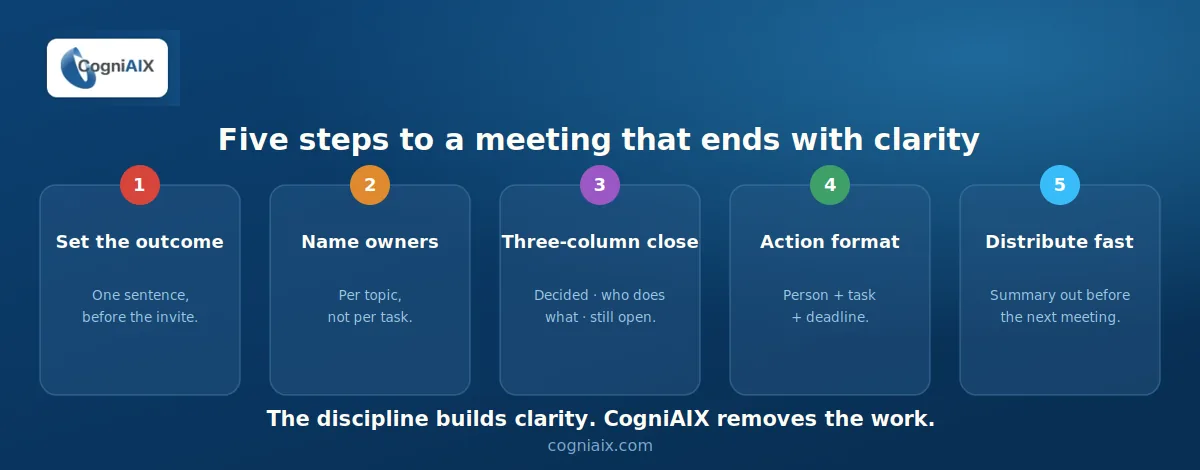
1. Set a one-sentence outcome before the meeting starts
First, answer one question before you send the invite. What decision or commitment must this meeting produce? Therefore, write it in the invite. As a result, this one habit cuts 40% of agenda drift before you begin. Moreover, if you cannot name the outcome in a sentence, the meeting is probably an email — and skipping it saves time for everyone.
2. Name an owner for every topic, not just every action
Most meetings hand tasks to whoever spoke last. However, you should give each agenda topic an owner up front. As a result, that person drives a decision, not just a discussion. When the talk ends, they own the result. Moreover, owner first and discussion second produces cleaner commitments.
3. Use the three-column close
In the last five minutes, run a fast close. For example, ask what we decided, who does what, and what is still open. Thus, you get three columns, spoken aloud or typed in the chat. Consequently, ninety seconds here saves four days of confusion. Moreover, do this even with AI conversation analysis software, because it locks in clarity for the whole room.
4. Write action items as Person + Task + Deadline
Do not write "someone should sort the brief." Instead, write "Priya sends the revised brief to the client by Thursday." Subject, verb, deadline. As a result, the task is clear and checkable. Moreover, CogniAIX detects this format automatically and logs it, so you type nothing. However, vague items stall, while specific ones get done.
5. Distribute the summary before the next meeting starts
A summary that lands two days later is a history lesson. However, one that lands minutes after the meeting is a tool. The difference is whether a teammate writes it, or your AI conversation analysis software already has. Therefore, CogniAIX sends the structured summary automatically. As a result, there is no manual step and no lost time.
What CogniAIX Handles So You Do Not Have To
The five steps work with no tools at all. However, AI conversation analysis software removes the manual effort entirely. Moreover, it lets your team save time and work faster. As a result, here is what CogniAIX does in the background while you meet:
| What happens in the meeting | What CogniAIX does on its own |
|---|---|
| Discussion produces a decision | Detects and logs the decision with context |
| Someone makes a commitment | Extracts the action item, assigns the owner, notes the deadline |
| A question is left open | Flags it as an open item in the summary |
| The meeting ends | Generates a structured summary: decisions, actions, open questions |
| Participants move on | Delivers the summary via email and Slack — no manual step |
The meeting ends. The work is already structured. Moreover, CogniAIX does not wait for anyone to write it up. As a result, it is ready before the next meeting starts.
Getting Actionable Insights from Conversations
Often, the gap between a useful meeting and a wasted one is the ninety seconds after it ends. Therefore, to get actionable insights from conversations, you need either a disciplined process or a system that does it for you. For example, most teams try the first and then automate with the second.
Consequently, CogniAIX gives you both. Use the steps above to build the discipline. Moreover, use CogniAIX to reduce effort and streamline the work. As a result, clarity becomes the default, and you eliminate note-taking entirely.
In addition, CogniAIX's AI agent — Cognia — captures every meeting, extracts every commitment, and routes structured work to the tools you already use, like Asana and Slack.
How to Show ROI Before Full Rollout
Do you need to justify CogniAIX before a full rollout? For example, track three things during the free trial:
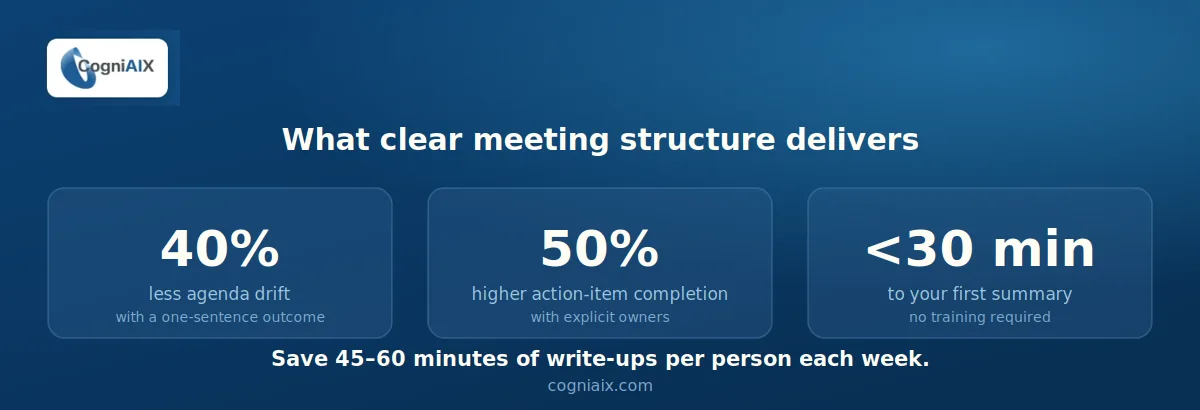
- Time you save writing summaries per person each week (typical: 45–60 minutes).
- Action items assigned vs. completed, before and after structured output.
- Fewer follow-up clarification messages after meetings.
Moreover, teams using explicit ownership formats report 50% higher action-item completion (based on internal reports). As a result, one week of trial data is usually enough to make the case. Therefore, run three meetings through CogniAIX and show your manager the output. In short, the summary quality makes the argument for you.
People Also Ask — AI Conversation Analysis Software
What does AI conversation analysis software actually do in a meeting?
It listens, transcribes with speaker labels, detects action items and decisions in context, builds a structured summary, and sends it automatically. As a result, you run the meeting as normal. Moreover, the output is ready before your next one.
How do I use conversation intelligence software if I have never tried it?
First, create a free CogniAIX account. Then connect your calendar or meeting platform and run one meeting. As a result, your first structured summary arrives in minutes, with no training. In short, total setup takes under 30 minutes.
Does CogniAIX work for recorded meetings as well as live ones?
Yes. For example, you can upload any audio file (MP3 or M4A) to the dashboard. Moreover, processing runs at about one minute per ten minutes of audio. As a result, the output matches a live capture.
How do meeting best practices change when AI is involved?
The core practices stay the same: clear outcomes, named owners, specific action items. However, AI conversation analysis software removes the manual work of writing and sending them. As a result, the discipline creates clarity, while the tool automates the effort and saves time.
Can I use CogniAIX before getting full team approval?
Yes. For example, the free trial gives full feature access from day one. Moreover, you can run your own meetings, build the evidence, and share the output. As a result, most teams approve rollout after the first three summaries. For a complete five-step adoption framework, see how to build an AI meeting workflow your whole team will actually use.
Let CogniAIX Handle This Automatically
Now you have five practices that make any meeting more productive. Moreover, you can see what AI conversation analysis software does once you take your hands off the wheel. As a result, you save time, reduce effort, automate the busywork, and work faster every week.
Therefore, run one meeting through CogniAIX. In short, the summary will be ready before you reach the door.